We manage and support the systems your team uses every day, helping resolve IT issues, reduce disruptions, and keep work moving.
A Better Workday Starts With Better IT Services.
meet the New England IT team you can rely on




Linda Weller
President
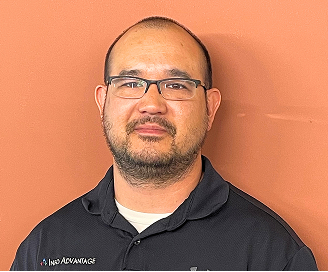
Chris Chan
Sr. Director of Solution Sales

Mitch Weller
Executive Vice President

Nick Wetherwax
Sr. Director of Technical Solutions

Mike Minch
Client Success Representative

Jacob Weller
L1 Engineer

Rikki Weller
Marketing Executive

Brian Moss
Solution Sales Representative

Chris McDonald
L2 Engineer

Matt Frosini
L2 Engineer
Turning IT Problems Into Clearer Support
Slow systems, login issues, software problems, and recurring interruptions can quietly take time away from your team. When those issues are handled one at a time, the same problems may return and larger IT concerns can become harder to track or resolve.
We review the systems your team depends on, identify recurring issues, and shape our IT services around what actually needs attention. For businesses in Rochester, we provide ongoing support, monitoring, and day-to-day IT management designed to keep technology organized and work moving with fewer disruptions overall.
What Our IT Services Cover
Help desk support with real technicians, not automated menus.
Proactive monitoring that flags issues before they cause downtime.
Patch management that keeps software current without disrupting work.
Data backups tested on a regular schedule, not left unchecked.
Cloud platform support for Microsoft 365 and hosted applications.
Vendor coordination so one call resolves multi-vendor problems.
Network performance checks that catch slowdowns before users do.
We love conversations with our clients but it's our work that does the real talking.
“We needed help it was only a phone call away”
“We enjoyed another successful year at Hoag Library in no small part due to our relationship with Info Advantage. With the help of Johnathan and Linda we replaced many of our computers this year and have finally gotten all of our equipment onto a three year cycle for replacement. The installation of the new computers was handled in house knowing that if we needed help it was only a phone call away. Jeremiah was instrumental in helping us get all of the new equipment online and swapping out some other equipment with items that were at the end of life. Other times we have depended on Jacob to help us figure out why we were having problems. (an unknown power outage was one cause.) and he and Kris reset programs when we could not make successful updates. We were also unable to catalog new books when the dedicated computer went down. We sent the computer to IA , they performed “magic” and Jacob returned it and reinstalled it until our new computers came in.”

BETTY SUE MILLER
Director Hoag Library
“Words can’t describe the difference Info Advantage has made."
“I have been working with the Info Advantage team for a little over a year now as the IT Manager for VP Supply Corp. Words cannot describe the difference Info Advantage has made in my ability to do my job and protect our network and information assets. What started as a hardware vendor has now evolved into providing MSSP services to better protect our network – and we could not be happier with the quick return on investment this has given us. I would like to give a special shout-out to the members of the Info Advantage team who have not only done their job exceptionally well but have also mastered the soft skills and make me feel as though I can always reach out if we need them. Johnathan, Chris Chan, Chris McDonald, and Nick Wetherwax have been outstanding over the past year. With continued success like this VP Supply will have Info Advantage as a partner for many, many years to come!”

ADAM DEKRAMER
IT Manager VP Supply Corp
“I’ve worked with Info Advantage for 12 yrs. across multiple companies.”
“I have worked with Info Advantage over the past 12 years at a couple of companies. This year, Info Advantage helped me deploy a new VMWare / EMC environment for my current employer. During the selection process, they were very responsive with quote changes, responses to questions and updates explaining every aspect of the roll-out. They were very willing to take my current level of knowledge into consideration in the quoting process and their quotes were very competitive. Once awarded the project, Info Advantage proceeded very quickly to order and install the hardware in agreed time with on-hands training and system documentation for me. I would personally recommend Info Advantage for any project.”

CLINT SCHWAB
Durst Imaging / Rochester, NY
iaGuardianMSP Solutions Builder
See what IT should actually cost your business. Use our calculator to estimate your monthly budget based on your team size, needs, and security requirements. Click the button to get your estimate.
Small IT Issues Can Create Bigger Risks
Slow computers, login problems, software errors, missed updates, and inaccessible files can gradually take time away from your team. When temporary fixes become routine, important work such as backups, maintenance, and system updates can also be overlooked.
We also look at the security issues that can build alongside those problems, including outdated accounts, missed updates, and suspicious emails reaching staff. Our IT services help keep these areas consistently managed, reducing the chance that smaller issues develop into longer disruptions, lost data, or greater security concerns for your business.
A Clearer Approach to Managing IT
We start by reviewing how your technology works today, including recurring issues, system performance, backups, security needs, and the tools your team depends on. That gives us a clearer understanding of what needs attention before we recommend changes.
From there, we shape our IT services around your environment and priorities. We provide ongoing monitoring, maintenance, and day-to-day support while staying familiar with your setup. For businesses in Rochester, this creates clearer priorities, more consistent IT management, and fewer recurring problems getting in the way of everyday work.

How Your IT Services Work

Ongoing Monitoring
Systems are watched continuously in the background, so warning signs like failing hardware or unusual activity get flagged and addressed before they turn into a bigger disruption.

Proactive Maintenance
Updates, patches, and routine checks happen on a set schedule, which helps reduce the kind of surprise failures that typically show up at the worst possible time.

Rapid Response
When something does go wrong, our support team responds directly, working the issue until it's resolved rather than passing you between departments or leaving tickets to sit unanswered.

Clear Reporting
You get straightforward updates on what was fixed and what's being monitored, so IT stays understandable instead of feeling like a black box your team has to trust blindly.
Our IT Services
Our IT services cover the day-to-day support, maintenance, monitoring, and management businesses rely on to keep technology working properly. Here are the core areas we help manage for businesses in Rochester.
Help Desk Support
Work should not stop over a login issue. Too often, staff sit idle waiting for a callback. Our IT services connect people to a real technician quickly, so small issues in Rochester get resolved fast.
Direct access to technicians, not a queue.
Support for everyday software and hardware issues.
Remote fixes for most common problems.
A record of past issues for faster repeat fixes.
Network Management
A network should stay in the background, doing its job quietly. When it doesn't, file sharing and video calls turn into a guessing game for teams in Rochester. Our IT services keep connectivity reliable across the workday.
Regular checks on routers, switches, and firewalls.
Bandwidth monitoring to catch congestion early.
Wireless coverage checks across office locations.
Documentation of network layout for faster fixes.
Data Backup and Recovery
A backup only matters if it works when needed. Too many businesses in Rochester discover a gap only after data is already lost. Our IT services test backups on a regular schedule.
Automated backups on a set schedule.
Regular test restores to confirm backup integrity.
Both local and offsite backup options.
Documented recovery steps for common failures.
Cloud Solutions
Cloud tools should make work easier, not add another system to babysit. Without support, small configuration issues in Microsoft 365 tend to linger for businesses in Rochester. We manage cloud accounts directly as part of our IT services.
Setup and management of Microsoft 365 environments.
Access and permission reviews for shared files.
Email deliverability and spam filter tuning.
Support for hosted line-of-business applications.
IT Consulting and Planning
Technology decisions get harder without a clear sense of what's actually needed. Businesses often overspend on tools they don't use or delay upgrades too long. Our IT services include planning built around real usage.
Budget planning for upcoming technology needs.
Guidance on hardware and software replacement timing.
Review of current tools against actual usage.
Roadmap planning tied to business growth.
Cybersecurity
Security problems are easier to manage when risks are identified before they disrupt the business. Our IT services include cybersecurity support focused on protecting accounts, systems, and business data while keeping everyday work practical for your team.
Security monitoring for unusual activity and potential threats.
Account and access reviews to reduce unnecessary exposure.
Regular checks for missing updates and security gaps.
Ongoing guidance to strengthen everyday security practices.
Industries We Empower
With decades of hands-on experience across regulated and fast-moving industries, we understand the unique risks you face. Our deep industry expertise allows us to deliver cybersecurity-first, compliance-ready IT solutions tailored to your environment and built to protect what matters most.

Financial Service Organizations

Healthcare &
Medical

Manufacturing &
Distribution

Legal Firms &
Attorneys

Nonprofit
Organizations

Professional
Services
More Insights
Stay connected with all of the latest IT services trends and alerts by subscribing to our blog.
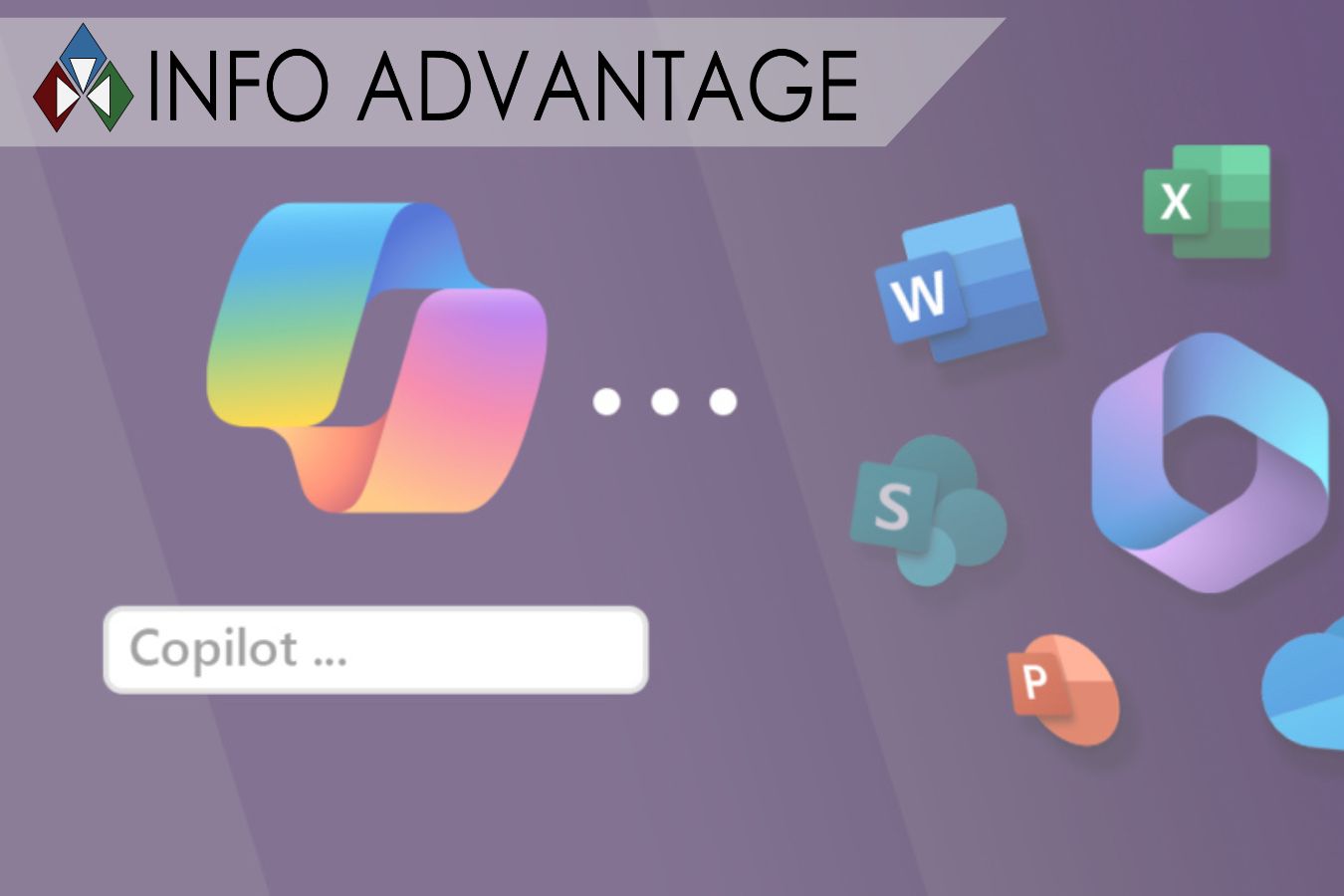
Real-World Copilot Use Cases: Sales, Marketing, Finance & Operations
You have heard about Microsoft Copilot. You know it can save time and make work easier. But what does that actually look like on a normal Tuesday morning?
The truth is, Copilot works differently depending on the job. A salesperson uses it one way. A marketing person uses it another way. And that is the real power of this tool. It fits into your daily work and helps with the tasks that take up your time.
Let us walk through real examples of how Copilot helps teams in sales, marketing, finance and operations. These are not hypothetical ideas. They are things businesses are doing right now.
Think of it like having an extra team member who never sleeps, never complains and handles the boring stuff so your people can focus on the important work.
Sales: More Time Selling, Less Time Typing
Sales teams live in email, meetings and CRM updates. Those are all necessary, but they take time away from actually talking to customers. Copilot helps change that.
Before the meeting: A sales rep opens an account record in Dynamics 365. Copilot instantly shows a summary of recent activity, key contacts and opendeals. No more digging through old notes or guessing what happened last time.
During the meeting: The rep hops on a Teams call with a client. Copilot listens in (with permission) and takes notes. It tracks action items and key decisions.
After the meeting: Within minutes, Copilot drafts a recap email and logs the summary in the CRM. The rep reviews it, clicks send and moves on. What used to take an hour now takes five minutes.
Sales reps can also ask questions in plain language. Things like "What deals are closing this quarter?" or "Show me prospects in the manufacturing space."Copilot pulls the answers instantly.
One sales executive shared that Copilot helped her feel less exhausted and more present for her family. That is the kind of ROI that does not show up on aspreadsheet.
Marketing: Better Campaigns, Faster
Marketing teams juggle a lot. Audience research. Content creation. Campaign planning. Performance tracking. Copilot helps with all of it.
Audience segmentation: A marketing manager opens Excel and asks Copilot to group customers by demographics or behavior. Copilot analyzes the data and creates audience segments in seconds. This used to take hours of manual work.
Content creation: Need a blog post or social media update? Copilot in Word drafts the first version based on your notes. The marketer then refines it, saving hours of staring at a blank page.
Campaign planning: During a team meeting in Teams, Copilot summarizes the discussion and lists action items. Everyone leaves knowing exactly what to do next.
Performance tracking: After a campaign launches, the team uses Copilot in Power BI to check KPIs like open rates and conversions. They ask questions in plain language and get answers right away.
The result? Faster campaigns, better targeting, and more time for creative work.
Finance: Faster Reports, Fewer Errors
Finance teams deal with data. Lots of it. Spreadsheets, reports, forecasts and reconciliations. Copilot acts like a data assistant that never gets tired.
Meeting prep: Before a budget review, a finance manager uses Copilot to summarize lengthy financial reports. Key takeaways appear in seconds.
Data analysis: In Excel, Copilot helps spot trends and anomalies. The finance person asks "Show me which departments are over budget this quarter" and Copilot highlights the answers.
Report creation: Copilot helps draft presentations for leadership. It pulls data from spreadsheets and turns it into clear charts and summaries.
One large organization found that employees saved an average of 46 minutes per day with Copilot. For a finance team, that adds up fast.
Software development: Even technical finance teams benefit. Engineers at one company used GitHub Copilot to convert 11,000 lines of code across 83 files in half the expected time.
Operations: Smoother Workflows, Less Friction
Operations teams keep the business running. Supply chains. Projects. Resources. Schedules.Copilot helpsreducethe friction.
Project reviews: An operations manager needs to check project status. Copilot pulls information from multiple sources and creates a summary. No more chasing down emails or digging through folders .
Supplier RFPs: Creating a request for proposal used to take days. Copilot helps draft the document based on past examples and standard templates.
Change management: When rolling out a new process, the operations team uses Copilot to draft communications and training materials. Consistent messaging, less work.
Scheduling: Copilot helps coordinate resources across teams. It looks at calendars, project timelines, and availability to suggest the best options.
One IT leader noted that a customer service chatbot for internal agents took under two days to build with Copilot and now supports over 100 reps.That is speed that matters.
The Common Thread: Time and Focus
Across all these examples, one thing stands out. Copilot handles the routine work so people can focus on the work thatmatters.
A recent study found that 73% of pilot users reported faster task completion with Copilot. And 80% said it helped them be more productive.
But here is the key. Copilot only works well when your data is ready. If files are scattered and permissions are messy, the results will be messy too.
Making It Real for Your Business
These examples show what is possible. But every business is different. The key is finding the right starting point.
Most successful companies start with a pilot group. They pick a few people from different departments. They let them test Copilot in real work. Then they learn and expand.
This is where a good technology partner makes a difference. They help you get your data ready, set up proper security, and train your team.
At Info Advantage, we help SMBs like yours adopt Copilot safely and successfully. We provide the managed IT services, cloud security, and compliance solutions you need to make AI work for your business.
👉 Contact us today to talk about how Copilot could help your sales, marketing, finance, and operations teams. Let us find your best starting point.

Frequently Asked Questions About IT Services in Rochester
What is IT services?
IT services cover the ongoing support, monitoring, and maintenance that keep a business's technology running day to day. We provide these as a coordinated MSP offering, so businesses in Rochester get one team handling the full picture.
How are IT services different from IT support?
IT support usually means help desk assistance when something breaks, while IT services describe the broader, ongoing work behind the scenes. We build our IT services around both, so issues get caught early in Rochester.
Do I need IT services if I already have an internal IT person?
Many businesses use our IT services to support an existing staff member rather than replace them, especially for after-hours monitoring or specialized cybersecurity work during busy periods.
What industries do you provide IT services for in Rochester?
We support businesses across financial services, healthcare, manufacturing, legal, nonprofit, and professional services. Each industry has different needs, so our IT services in Rochester are adjusted to fit how it operates.
What happens if there's an IT emergency outside business hours?
Our team can be reached for urgent issues, and our monitoring is designed to catch many problems before they escalate. For businesses in Rochester, that combination helps limit how disruptive an issue becomes.























Get Started Today!
If your business in Syracuse is outgrowing a patchwork of vendors or a single overworked technician, our IT services are built to bring everything under one roof. As a local IT company, we start with a conversation about what is actually running your technology today, not a sales pitch about what you should buy next.
Location
155 Sanford St Rochester,
NY 14620
Company
© 2026 Info Advantage Inc. Built in partnership with Tech Pro Marketing. | Privacy Policy | Area we serve


