We manage and support the systems your team uses every day, helping resolve IT issues, reduce disruptions, and keep work moving.
A Better Workday Starts With Better IT Services.
meet the New England IT team you can rely on




Linda Weller
President
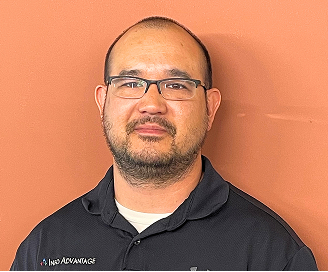
Chris Chan
Sr. Director of Solution Sales
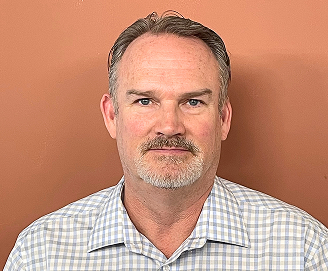
Mitch Weller
Executive Vice President
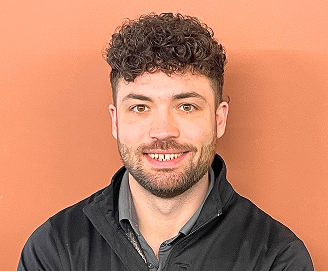
Nick Wetherwax
Sr. Director of Technical Solutions
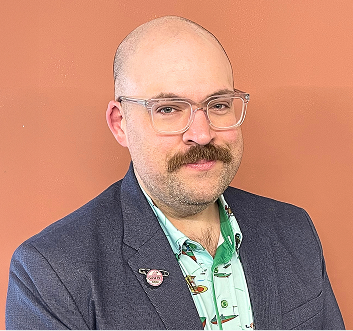
Mike Minch
Client Success Representative
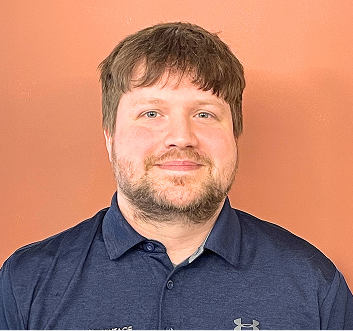
Jacob Weller
L1 Engineer

Rikki Weller
Marketing Executive

Brian Moss
Solution Sales Representative

Chris McDonald
L2 Engineer

Matt Frosini
L2 Engineer
Turning IT Problems Into Clearer Support
Slow systems, login issues, software problems, and recurring interruptions can quietly take time away from your team. When those issues are handled one at a time, the same problems may return and larger IT concerns can become harder to track or resolve.
We review the systems your team depends on, identify recurring issues, and shape our IT services around what actually needs attention. For businesses in Rochester, we provide ongoing support, monitoring, and day-to-day IT management designed to keep technology organized and work moving with fewer disruptions overall.
What Our IT Services Cover
Help desk support with real technicians, not automated menus.
Proactive monitoring that flags issues before they cause downtime.
Patch management that keeps software current without disrupting work.
Data backups tested on a regular schedule, not left unchecked.
Cloud platform support for Microsoft 365 and hosted applications.
Vendor coordination so one call resolves multi-vendor problems.
Network performance checks that catch slowdowns before users do.
We love conversations with our clients but it's our work that does the real talking.
“We needed help; it was only a phone call away”
“We enjoyed another successful year at Hoag Library in no small part due to our relationship with Info Advantage. With the help of Johnathan and Linda we replaced many of our computers this year and have finally gotten all of our equipment onto a three year cycle for replacement. The installation of the new computers was handled in house knowing that if we needed help it was only a phone call away. Jeremiah was instrumental in helping us get all of the new equipment online and swapping out some other equipment with items that were at the end of life. Other times we have depended on Jacob to help us figure out why we were having problems. (an unknown power outage was one cause.) and he and Kris reset programs when we could not make successful updates. We were also unable to catalog new books when the dedicated computer went down. We sent the computer to IA , they performed “magic” and Jacob returned it and reinstalled it until our new computers came in.”

BETTY SUE MILLER
Director Hoag Library
“Words can’t describe the difference Info Advantage has made."
“I have been working with the Info Advantage team for a little over a year now as the IT Manager for VP Supply Corp. Words cannot describe the difference Info Advantage has made in my ability to do my job and protect our network and information assets. What started as a hardware vendor has now evolved into providing MSSP services to better protect our network – and we could not be happier with the quick return on investment this has given us. I would like to give a special shout-out to the members of the Info Advantage team who have not only done their job exceptionally well but have also mastered the soft skills and make me feel as though I can always reach out if we need them. Johnathan, Chris Chan, Chris McDonald, and Nick Wetherwax have been outstanding over the past year. With continued success like this VP Supply will have Info Advantage as a partner for many, many years to come!”

ADAM DEKRAMER
IT Manager VP Supply Corp
“I’ve worked with Info Advantage for 12 yrs. across multiple companies.”
“I have worked with Info Advantage over the past 12 years at a couple of companies. This year, Info Advantage helped me deploy a new VMWare / EMC environment for my current employer. During the selection process, they were very responsive with quote changes, responses to questions and updates explaining every aspect of the roll-out. They were very willing to take my current level of knowledge into consideration in the quoting process and their quotes were very competitive. Once awarded the project, Info Advantage proceeded very quickly to order and install the hardware in agreed time with on-hands training and system documentation for me. I would personally recommend Info Advantage for any project.”
CLINT SCHWAB
Durst Imaging / Rochester, NY
iaGuardianMSP Solutions Builder
See what IT should actually cost your business. Use our calculator to estimate your monthly budget based on your team size, needs, and security requirements. Click the button to get your estimate.

Small IT Issues Can Create Bigger Risks
Slow computers, login problems, software errors, missed updates, and inaccessible files can gradually take time away from your team. When temporary fixes become routine, important work such as backups, maintenance, and system updates can also be overlooked.
We also look at the security issues that can build alongside those problems, including outdated accounts, missed updates, and suspicious emails reaching staff. Our IT services help keep these areas consistently managed, reducing the chance that smaller issues develop into longer disruptions, lost data, or greater security concerns for your business.
A Clearer Approach to Managing IT
We start by reviewing how your technology works today, including recurring issues, system performance, backups, security needs, and the tools your team depends on. That gives us a clearer understanding of what needs attention before we recommend changes.
From there, we shape our IT services around your environment and priorities. We provide ongoing monitoring, maintenance, and day-to-day support while staying familiar with your setup. For businesses in Rochester, this creates clearer priorities, more consistent IT management, and fewer recurring problems getting in the way of everyday work.

How Your IT Services Work

Ongoing Monitoring
Systems are watched continuously in the background, so warning signs like failing hardware or unusual activity get flagged and addressed before they turn into a bigger disruption.

Proactive Maintenance
Updates, patches, and routine checks happen on a set schedule, which helps reduce the kind of surprise failures that typically show up at the worst possible time.

Rapid Response
When something does go wrong, our support team responds directly, working the issue until it's resolved rather than passing you between departments or leaving tickets to sit unanswered.

Clear Reporting
You get straightforward updates on what was fixed and what's being monitored, so IT stays understandable instead of feeling like a black box your team has to trust blindly.
Our IT Services
Our IT services cover the day-to-day support, maintenance, monitoring, and management businesses rely on to keep technology working properly. Here are the core areas we help manage for businesses in Rochester.
Work should not stop over a login issue. Too often, staff sit idle waiting for a callback. Our IT services connect people to a real technician quickly, so small issues in Rochester get resolved fast.
Direct access to technicians, not a queue.
Support for everyday software and hardware issues.
Remote fixes for most common problems.
A record of past issues for faster repeat fixes.
Network Management
A network should stay in the background, doing its job quietly. When it doesn't, file sharing and video calls turn into a guessing game for teams in Rochester. Our IT services keep connectivity reliable across the workday.
Regular checks on routers, switches, and firewalls.
Bandwidth monitoring to catch congestion early.
Wireless coverage checks across office locations.
Documentation of network layout for faster fixes.
Data Backup and Recovery
A backup only matters if it works when needed. Too many businesses in Rochester discover a gap only after data is already lost. Our IT services test backups on a regular schedule.
Automated backups on a set schedule.
Regular test restores to confirm backup integrity.
Both local and offsite backup options.
Documented recovery steps for common failures.
Cloud Solutions
Cloud tools should make work easier, not add another system to babysit. Without support, small configuration issues in Microsoft 365 tend to linger for businesses in Rochester. We manage cloud accounts directly as part of our IT services.
Setup and management of Microsoft 365 environments.
Access and permission reviews for shared files.
Email deliverability and spam filter tuning.
Support for hosted line-of-business applications.
Technology decisions get harder without a clear sense of what's actually needed. Businesses often overspend on tools they don't use or delay upgrades too long. Our IT services include planning built around real usage.
Budget planning for upcoming technology needs.
Guidance on hardware and software replacement timing.
Review of current tools against actual usage.
Roadmap planning tied to business growth.
Cybersecurity
Security problems are easier to manage when risks are identified before they disrupt the business. Our IT services include cybersecurity support focused on protecting accounts, systems, and business data while keeping everyday work practical for your team.
Security monitoring for unusual activity and potential threats.
Account and access reviews to reduce unnecessary exposure.
Regular checks for missing updates and security gaps.
Ongoing guidance to strengthen everyday security practices.
Industries We Empower
With decades of hands-on experience across regulated and fast-moving industries, we understand the unique risks you face. Our deep industry expertise allows us to deliver cybersecurity-first, compliance-ready IT solutions tailored to your environment and built to protect what matters most.

Financial Service Organizations

Healthcare &
Medical

Manufacturing &
Distribution

Legal Firms &
Attorneys

Nonprofit
Organizations

Professional
Services
More Insights
Stay connected with all of the latest IT services trends and alerts by subscribing to our blog.

We Switched IT Providers Once Before. How Do We Know This Time Will Be Different?
You have been here before. A new IT company came in, made a lot of promises, and the first few weeks felt promising. Then the small frustrations started. Response times slipped. Something broke on a Monday morning and nobody picked up the phone. The quarterly meeting was a slide deck full of numbers that nobody explained. Eventually the relationship stopped feeling like a partnership and started feeling like a contract nobody was reading anymore.
So when someone suggests switching again, the first question is not "what do they offer." It is a much more human one: how do we know this time will really be different?
That is the right question, and it deserves a direct answer rather than a list of features.
Why IT Relationships Break Down in the First Place
Most IT provider relationships do not fail because of technical incompetence. They fail because of communication. According to KPMG's 2025 Voice of the CIO report, vendor dissatisfaction is rising sharply among business leaders, with the biggest friction points centering on poor service, lack of proactive communication, and providers who push upgrades without explaining the business case.
That pattern looks familiar to a lot of Rochester-area businesses that have tried the switch before. The technical work was fine. The relationship was not.
The 30/60/90 Framework: What the First Three Months Should Look Like
One of the clearest ways to evaluate any new IT provider before committing is to ask what the first 90 days look like, specifically. Not in general terms. Day by day and week by week.
At Info Advantage, the answer to that question is a structured 30/60/90 day onboarding framework built around one priority: making sure you know exactly what is happening, who is handling it, and where things stand at every stage.
Here is what each phase covers:
Days 1-30: Foundation and Discovery The first month is about understanding your environment before making recommendations. That means a thorough assessment of your current systems, identifying anything that needs immediate attention, and making sure the transition itself is as invisible to your team as possible. The goal at day 30 is not a long list of problems. It is a clear picture.
Days 31-60: Alignment and Action By the second month, the immediate items are addressed and a prioritized roadmap is taking shape. This is when the first insight meeting happens, and it is not a one-way information dump. It is a two-way conversation built around your business goals, what you need IT to do for you, and what the next 12 months should look like.
Days 61-90: Partnership and Momentum By the end of the third month, the relationship should feel settled. Your team knows who to call. Tickets are being resolved. The roadmap is in motion. And there is a check-in specifically designed to confirm that everything is landing the way it was supposed to.
That structure did not happen by accident. Mitch Weller, EVP at Info Advantage, built it around a simple discipline: listen first and really understand the business, not just inventory the equipment, then document everything and communicate constantly, because onboarding done right means no surprises six months in.
The "What If My Computers Freeze on Day One?" Fear
This one comes up more than you might expect, and it is worth addressing directly. The transition anxiety is real. What if something breaks during the switchover? What if the new team does not know the history of a system the old one managed for years?
The honest answer is that transitions carry some risk, and any provider who tells you otherwise is not being straight with you. What changes that equation is how thoroughly the pre-transition assessment is done and how closely the new team is available during the first week.
At Info Advantage, the commitment is same-business-day response, no automation, and a live human being available no matter what the request. That commitment starts on day one, not after a 90-day grace period.
What Makes Info Advantage's Model Structurally Different
A lot of what makes an IT relationship feel broken is not any single incident. It is the absence of a dedicated human point of contact who knows your business and is accountable for how things are going.
That is why Mike Minch, Info Advantage's Client Success Representative, exists in the role he does. His background is not technical. His background is 25 years of customer service, and that is deliberate. The person responsible for your experience is not the person fixing your servers. They are the person making sure that the relationship is working, asking what is on your mind, and bringing your concerns to the technical team before they become complaints.
When something worries you, you do not start by opening a ticket. You start by talking to Mike.
What to Ask Any IT Provider Before You Sign
Whether you are evaluating Info Advantage or anyone else, these questions tend to reveal how a provider is really structured versus how they describe themselves:
•Who is my dedicated point of contact, and what is their role?
•What does the first 90 days look like in specific terms?
•How will I know what is happening during the transition?
•What happens if something breaks during the switchover?
•How do you measure whether the relationship is working?
A provider who answers those questions clearly and specifically is operating from a different model than one who gives you a brochure.
Ready to See What a Different Kind of IT Relationship Looks Like?
Switching providers is a real decision with real stakes. The answer to "how do we know it will be different" is not a promise. It is a structure, a process, and a person whose job it is to make sure the answer stays true.
Schedule a call with Info Advantage
Start with a conversation, not a commitment.
Frequently Asked Questions
How long does the transition to a new IT provider typically take? For most SMBs, the core transition is completed within the first 30 days. The 30/60/90 framework extends beyond that to make sure the relationship is working, not just that the technical handoff happened.
What if something goes wrong during the switchover? A thorough pre-transition assessment significantly reduces this risk. Info Advantage's same-business-day response commitment and live human availability apply from day one, so if something surfaces, it gets addressed immediately.
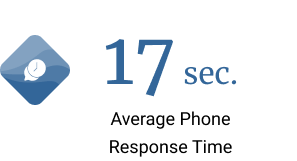
Who will my team really call when they have an IT issue? From day one, your team has access to Info Advantage's support line and a dedicated client success contact. Within seconds of calling, you are talking to a human being, not navigating a ticket queue.
What happens at the 30, 60, and 90-day check-ins? Each check-in has a specific agenda. Day 30 confirms the transition is stable. Day 60 aligns on the IT roadmap and business goals. Day 90 is a relationship review to make sure everything is landing the way it should.
What makes the client success model different from a standard account manager? A standard account manager is often focused on upsells and renewals. A client success representative is focused on whether you are happy, whether the relationship is working, and whether the technical team is delivering what your business really needs.

Frequently Asked Questions About IT Services in Rochester
What are IT services?
IT services cover the ongoing support, monitoring, and maintenance that keep a business's technology running day to day. We provide these as a coordinated MSP offering, so businesses in Rochester get one team handling the full picture.
How are IT services different from IT support?
IT support usually means help desk assistance when something breaks, while IT services describe the broader, ongoing work behind the scenes. We build our IT services around both, so issues get caught early in Rochester.
Do I need IT services if I already have an internal IT person?
Many businesses use our IT services to support an existing staff member rather than replace them, especially for after-hours monitoring or specialized cybersecurity work during busy periods.
What industries do you provide IT services for in Rochester?
We support businesses across financial services, healthcare, manufacturing, legal, nonprofit, and professional services. Each industry has different needs, so our IT services in Rochester are adjusted to fit how it operates.
What happens if there's an IT emergency outside business hours?
Our team can be reached for urgent issues, and our monitoring is designed to catch many problems before they escalate. For businesses in Rochester, that combination helps limit how disruptive an issue becomes.























Get Started Today!
If daily interruptions from technology feel normal, that's usually a sign it's time for a second look at how IT is handled in Rochester. Our team can walk through what's in place and flag what's creating the most friction.
Reach out to schedule a consultation, and let's talk about what dependable IT services could look like for your team. As your local IT company, we're ready to help, whether that means full IT support or working alongside systems you already have.
Location
155 Sanford St Rochester,
NY 14620
Company
© 2026 Info Advantage Inc. Built in partnership with Tech Pro Marketing. | Privacy Policy | Areas We Serve


